
Kira
A connected elder care hub for independent living.
The problem
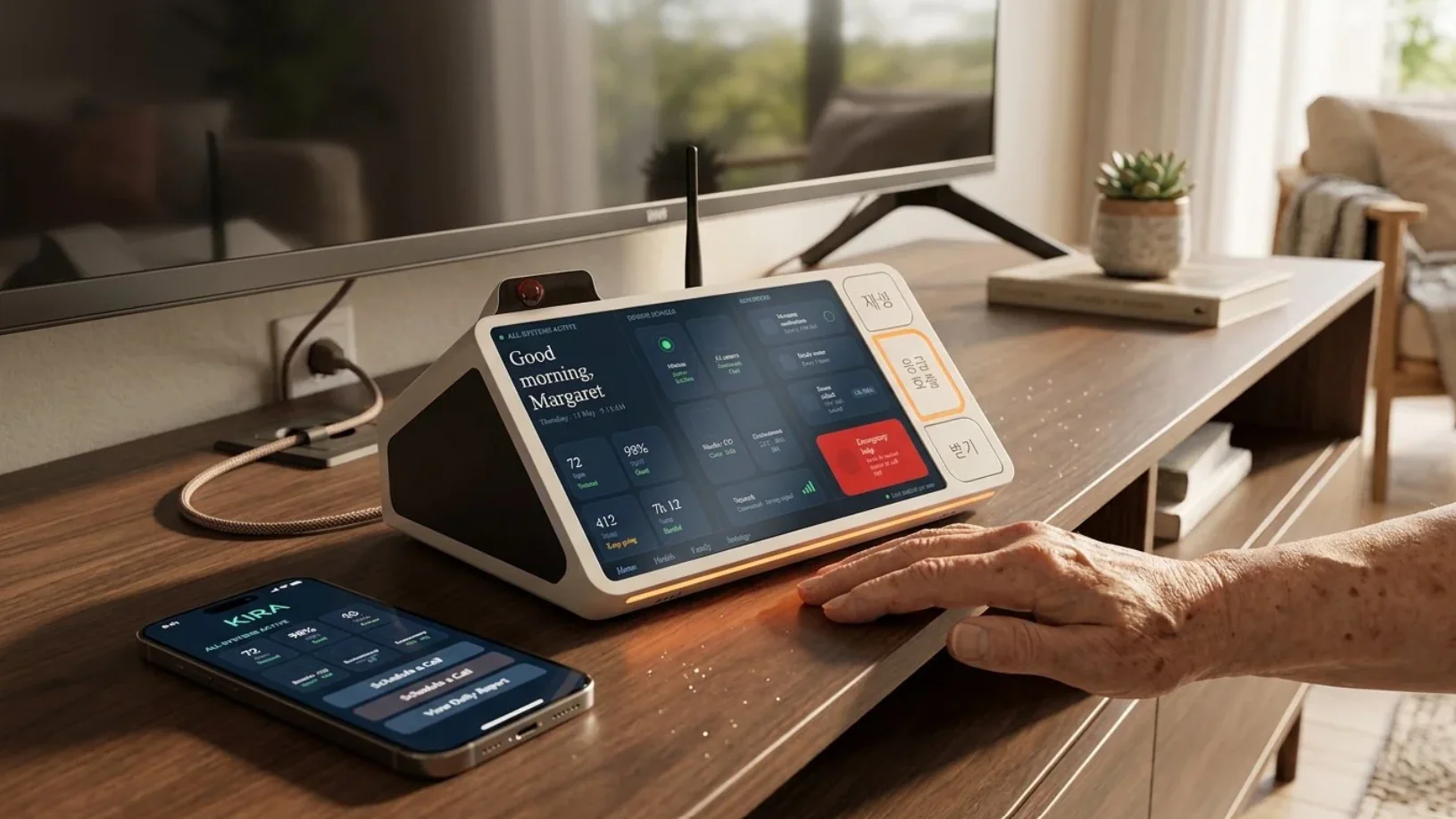
Adult children who don't live with an aging parent often only find out something is wrong after it's already an emergency. Most of the tools built for this problem are medical devices first: alert pendants, fall sensors, panic buttons. Kira was built around a different premise: the majority of days are fine, and the product should feel like it belongs in a living room, not a hospital room.
A living-room object
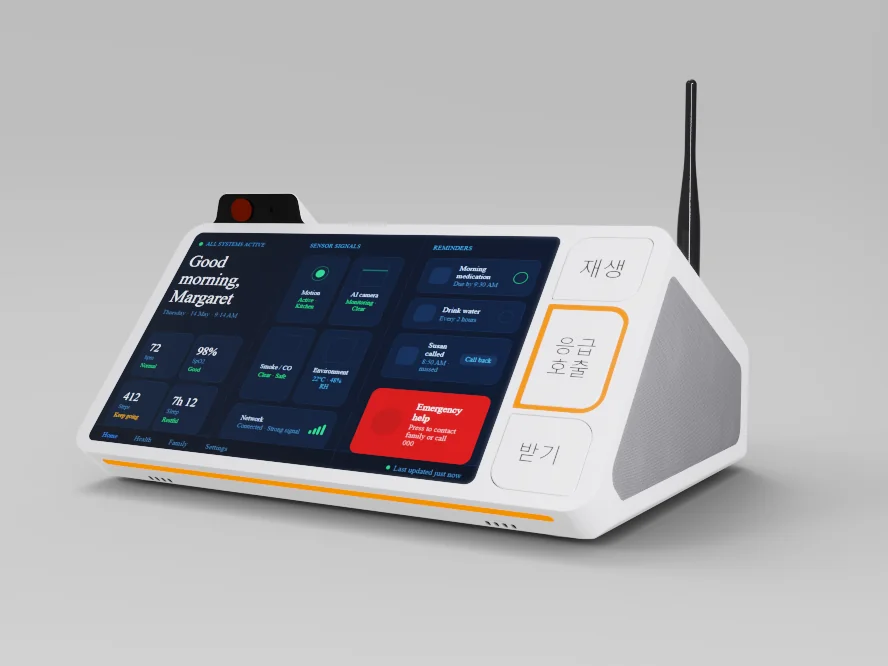
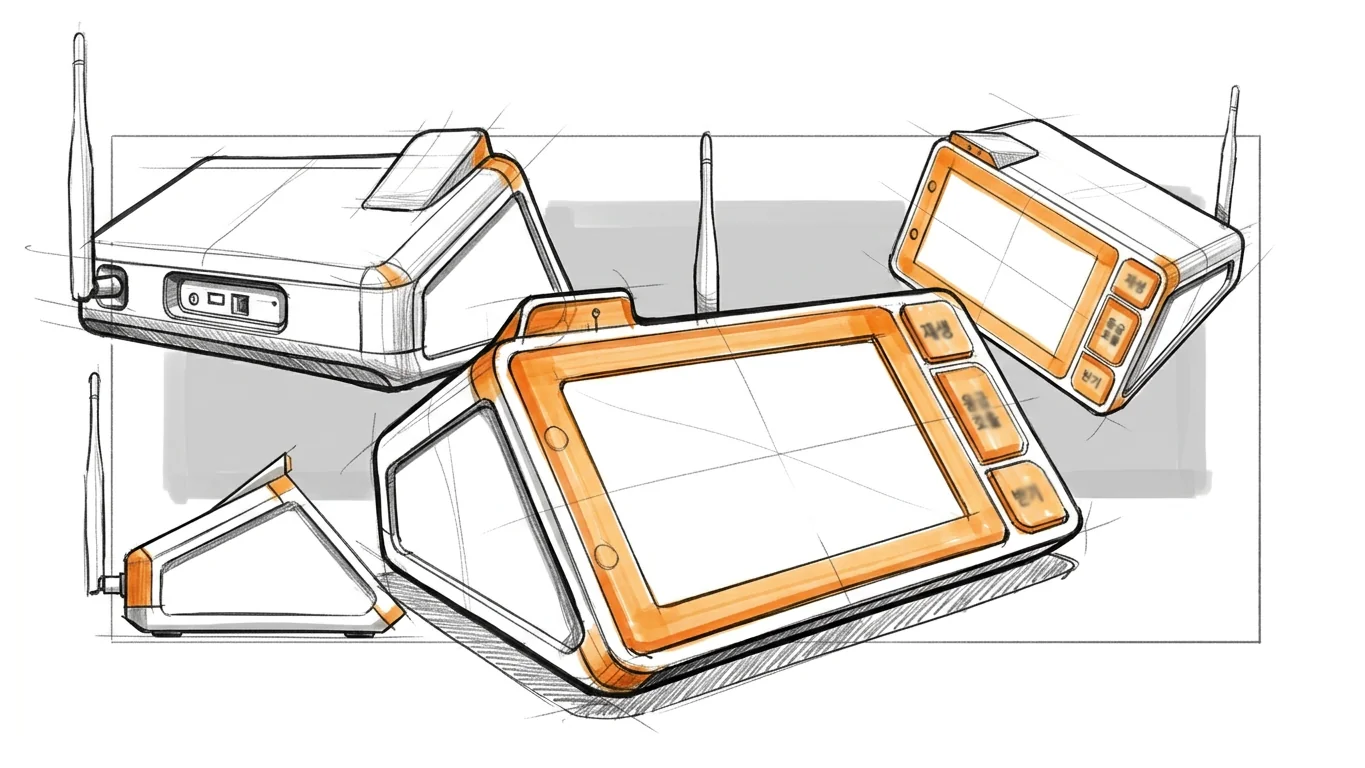
Kira is a tabletop hub paired with a companion app. The hub sits on a console or side table like a clock radio, its tilted screen showing the time, a morning greeting and a small set of status tiles rather than a dense dashboard. Three physical buttons handle the moments that matter most: starting a scheduled check-in, calling for help, and answering a call from family. Everything else, alerts, activity history, scheduling, lives in the companion app on a family member's phone.
One good angle
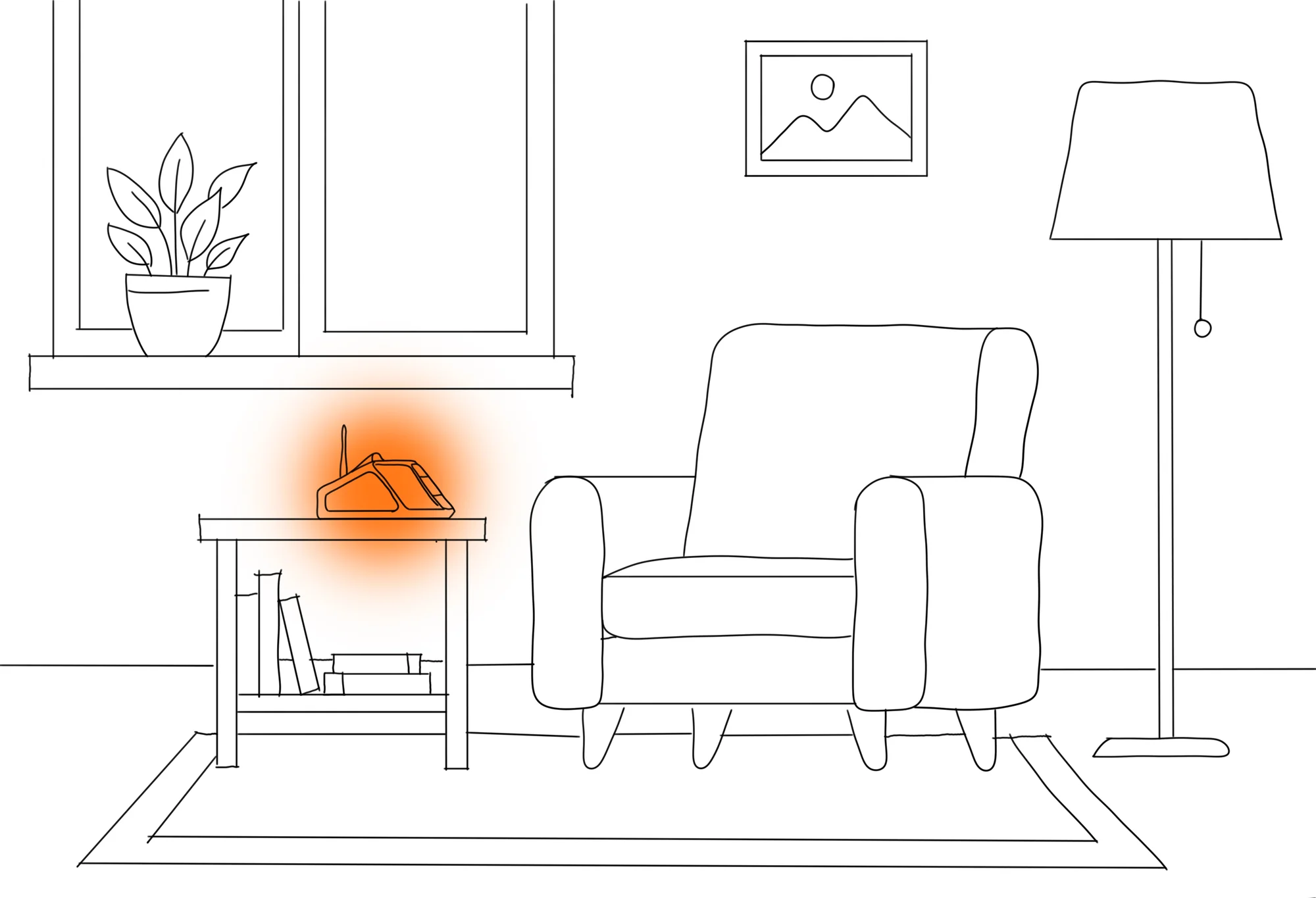
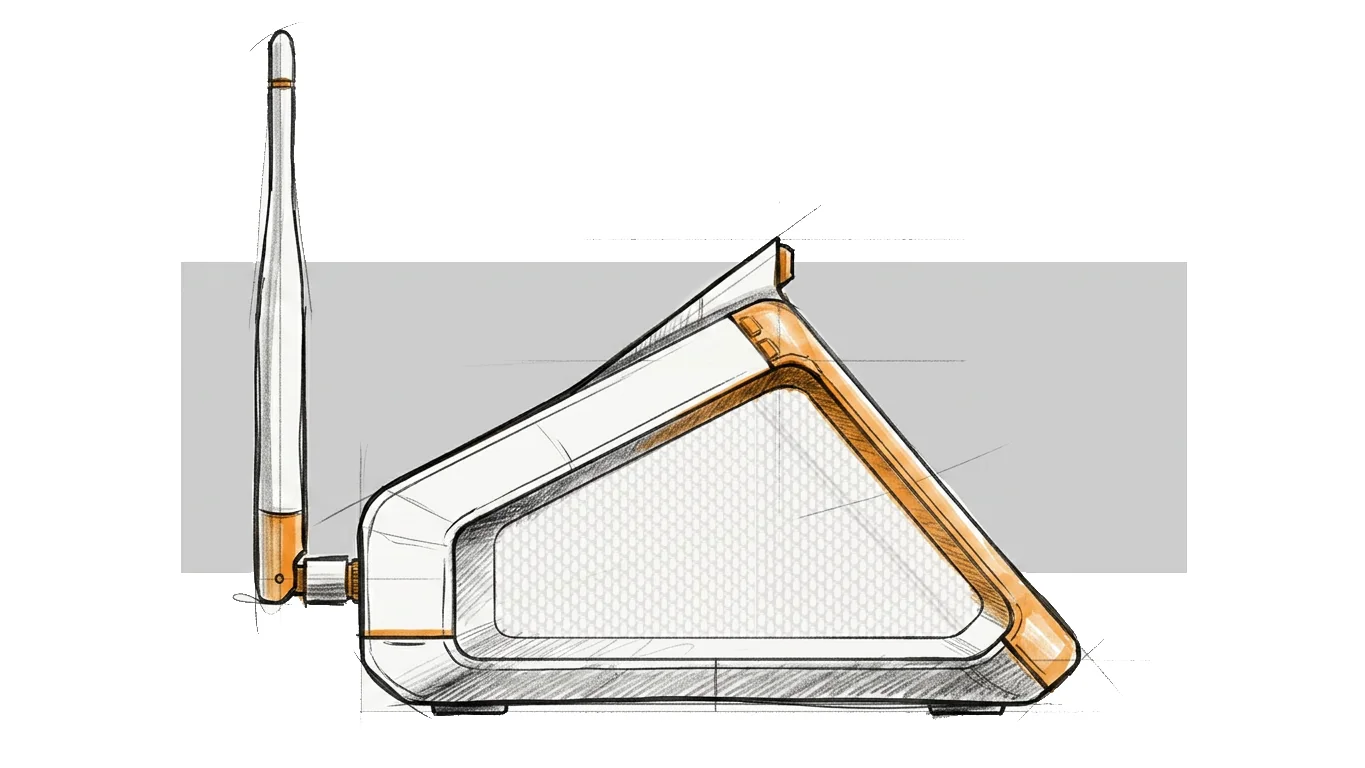
The hub's screen sits tilted toward whoever's in the room, not flat on a counter, so a status check works from the kitchen doorway or the far end of the sofa without picking anything up. Early sketches tried a dozen variations on the same wedge before landing on the angle that read clearly from both a seated and a standing height, the two positions the design actually gets used from.
Built to be heard
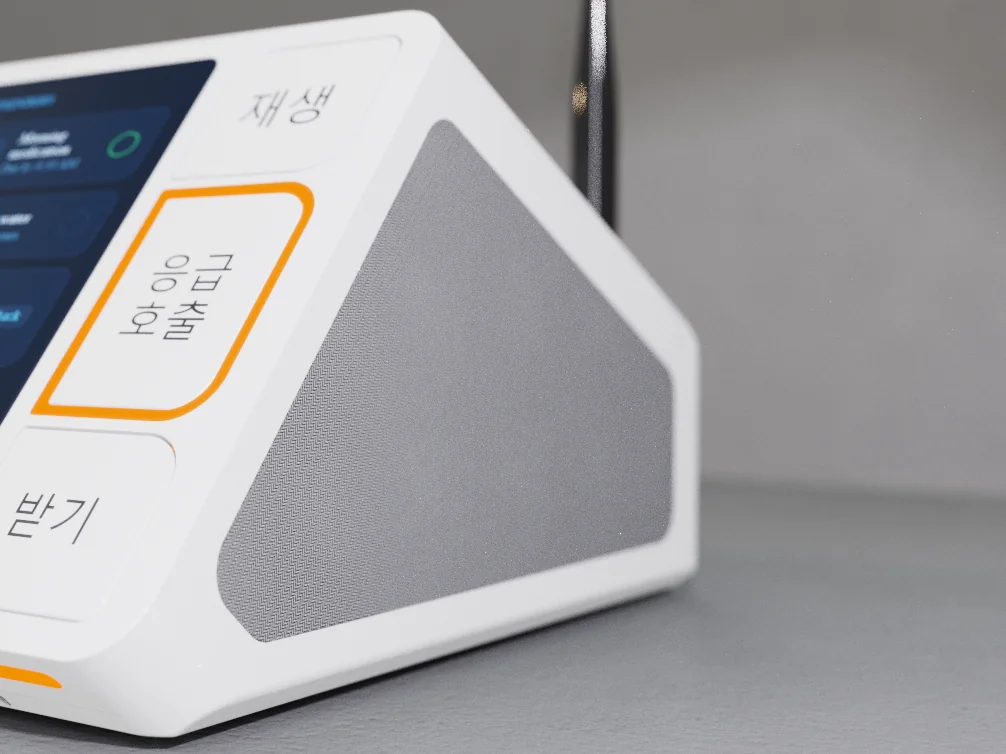
A perforated speaker grille runs the full width of the hub's face, sized for clear two-way audio during a video call rather than a single small speaker hole. The external antenna is left exposed rather than hidden inside the housing: older homes are exactly where Wi-Fi drops out between rooms, and a dropped call is the one failure mode this product can't have.
Found by feel
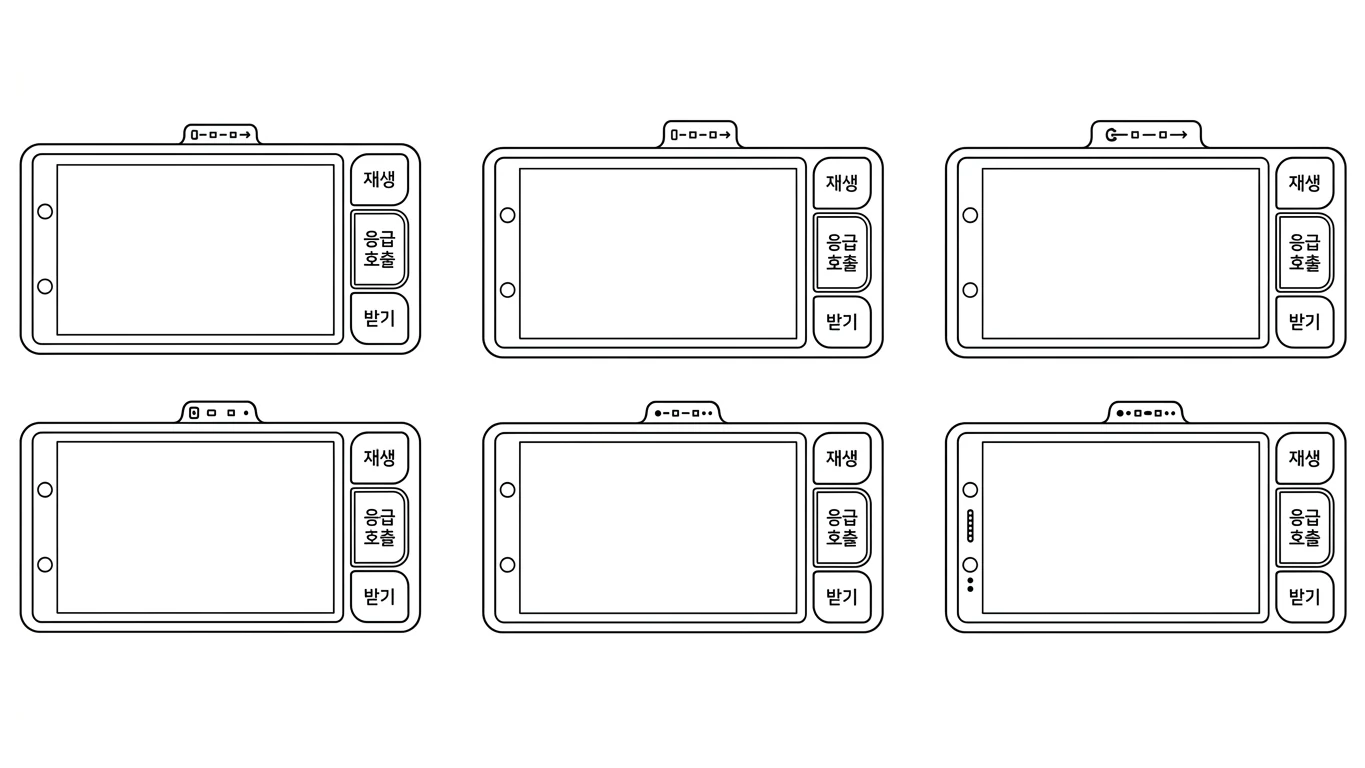
The three physical controls, play, emergency call, answer, went through six rounds of spacing and shape before the final layout. Each one needed to be distinguishable without looking: by size, by position, and by the emergency button sitting slightly proud of the other two so a hand reaching for it under stress finds it first.
The system
The Kira system pairs a tabletop hub with a companion app, giving family members a simple way to check in without a phone call.
Key Features
- Tilted touchscreen dashboard showing status, reminders and quick actions at a glance
- Dedicated Play, Emergency Call and Answer buttons that work independently of the touchscreen
- Companion app for family members with a dashboard, alerts and a shared family view
- External antenna for a stronger connection in homes where Wi-Fi doesn't reach every room
- One-tap emergency call, no unlocking a phone or remembering a number
Working with us
Coffer Studios led the industrial design of Kira: research, concept development and resolution into a production-ready system, alongside the companion app experience.
Every Coffer Studios project runs through the same senior team from first sketch to production handover, no junior handoff once the brief is signed. For a project like Kira, that means the person who designed the hub is the same person reviewing prototypes and production samples against it.
Outcome
What's inside Kira
Software
- Morning status dashboard with time, date and system checks
- One-tap emergency call and answer
- Family dashboard with shared alerts and daily activity view
- Scheduled check-in reminders
Hardware
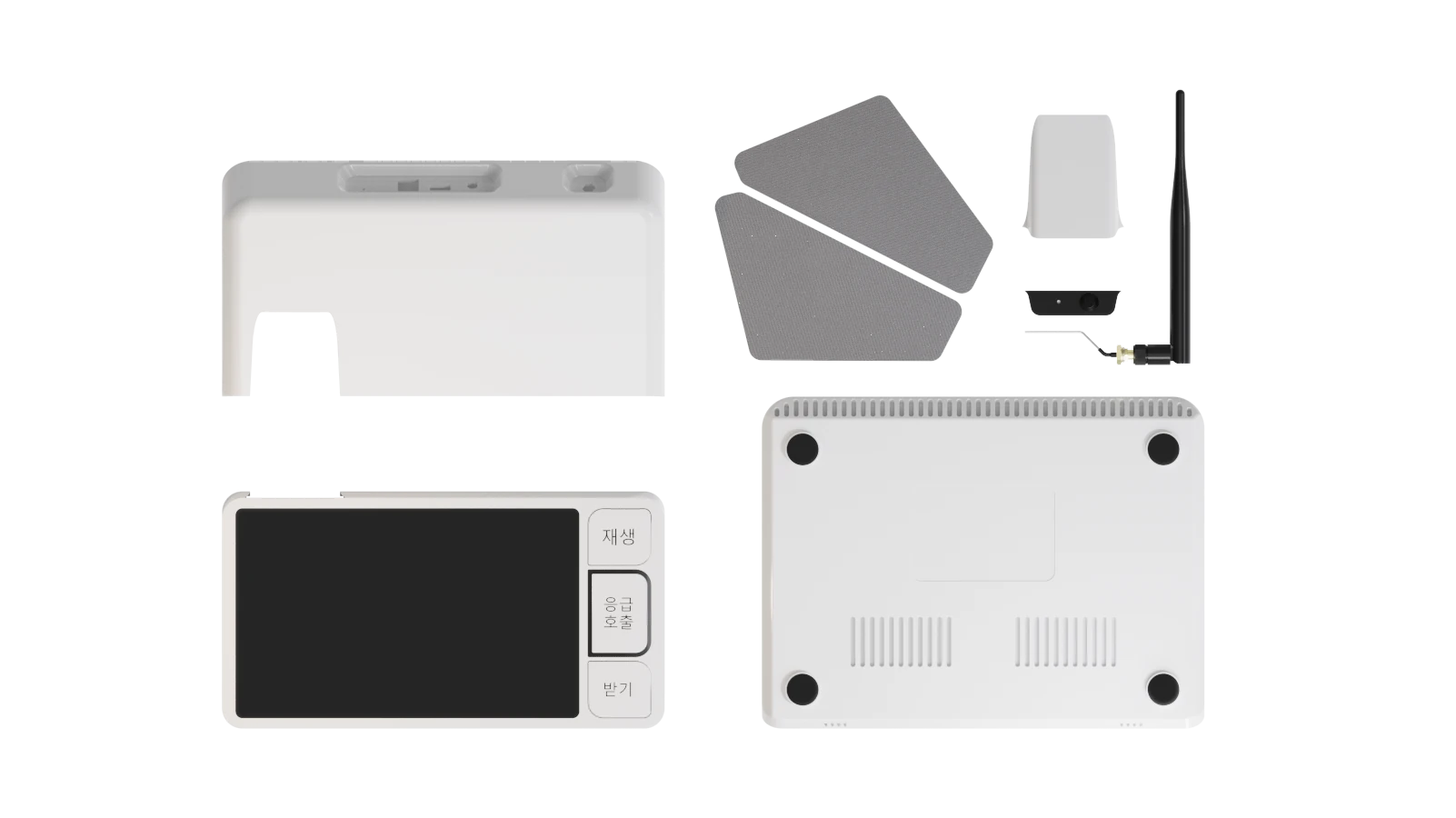
- 7" tilted touchscreen display
- Dedicated physical Play / Emergency Call / Answer buttons
- Full-width perforated speaker grille, two-way audio
- External Wi-Fi antenna for whole-home range
Mechanical
- Wedge-form tabletop housing, no wall mount required
- Matte, fingerprint-resistant housing finish
- Non-slip base for stable tabletop placement
- Vented rear panel for passive cooling
Client voice
“It was such a pleasure working with Coffer Studios. Their team guided me through conceptual ideation to final model rendering, with clear communication and decision-making backed by manufacturing knowledge. They are honest and creative with a positive attitude. I look forward to working on more projects with them.”

Questions About Kira
Kira is a connected elder care hub designed by Coffer Studios. It pairs a tabletop device with a companion app so family members can check in on an aging parent living independently, without a phone call.
Kira is designed for two users at once: an aging parent living independently, and the adult children who want to know they're okay without hovering.
Coffer Studios led the industrial design of Kira, working through research, concept development, and resolution into a production-ready system, alongside the companion app experience.
Kira is built around everyday presence and reassurance rather than emergency response alone, so it reads as a normal object in the home instead of a medical device.
More from the studio
Related reading
What Is CMF Design and Why It Decides Whether Your Product Looks Cheap or Premium
CMF design decides whether your product reads as premium or cheap before a customer touches it. Here's what colour, material and finish actually involve.
The Prototype Mistake That Costs Founders $20,000 (And How to Avoid It)
The most expensive prototyping mistake isn't skipping a prototype, it's prototyping in a way that doesn't match production. Here's how to avoid it.
From Sketch to Shelf: What a Full Product Development Process Actually Looks Like
Publishing soon.
Colour, Material, Finish: The Brief Your Manufacturer Actually Needs to Get It Right
Publishing soon.
What to Put on Your Product Before It Goes to Market: Surface and Print Design for Houseware Brands
Publishing soon.
Have A Product Like This?
We respond to every serious enquiry within one business day.